

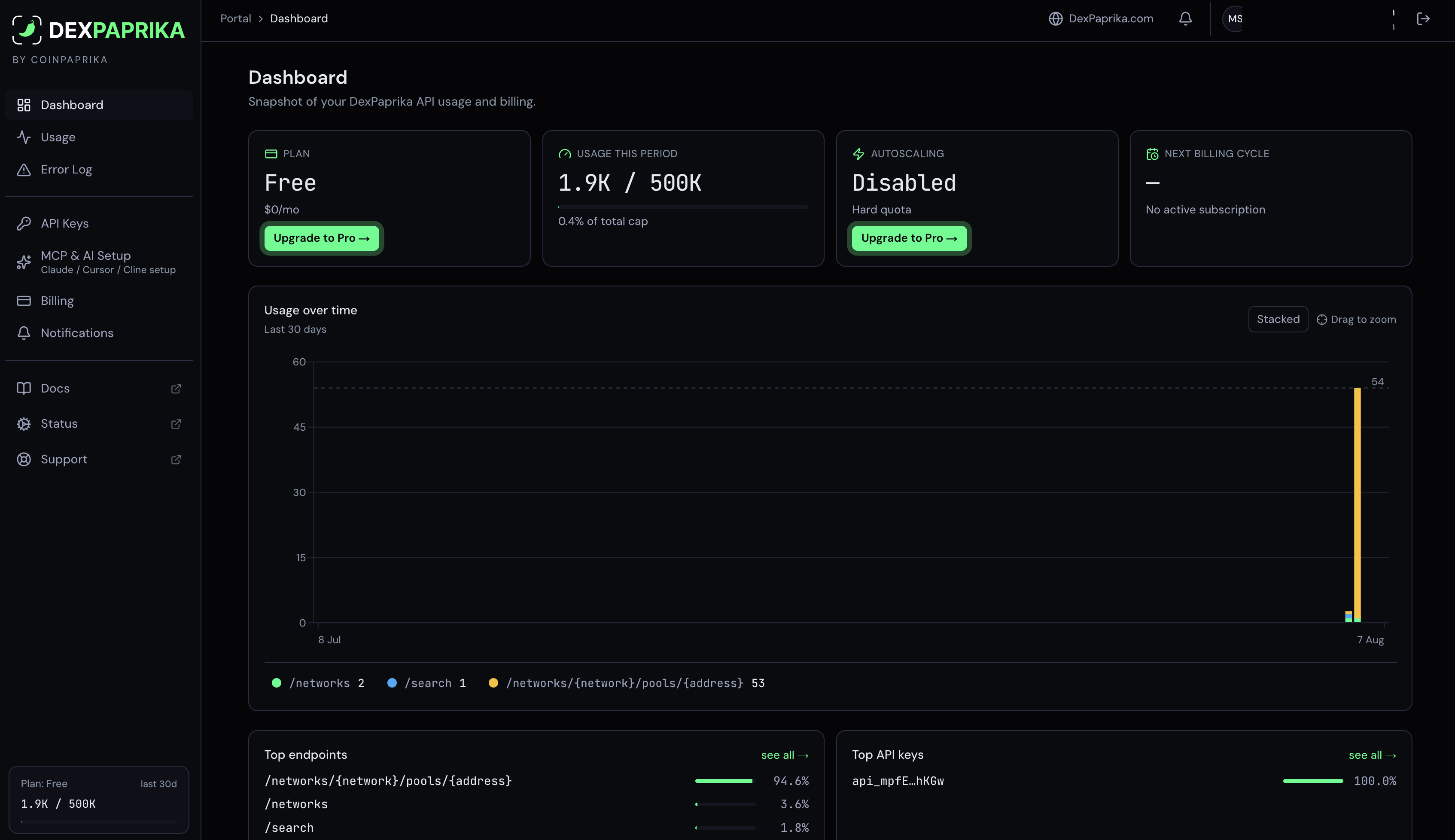
What each section is for
Frequently asked
Where do I get an API key?
Where do I get an API key?
API Keys in the sidebar. A key is generated for your account, and there is exactly one active key at a time.The same screen shows the base URLs your key is valid for. Free keys authenticate against 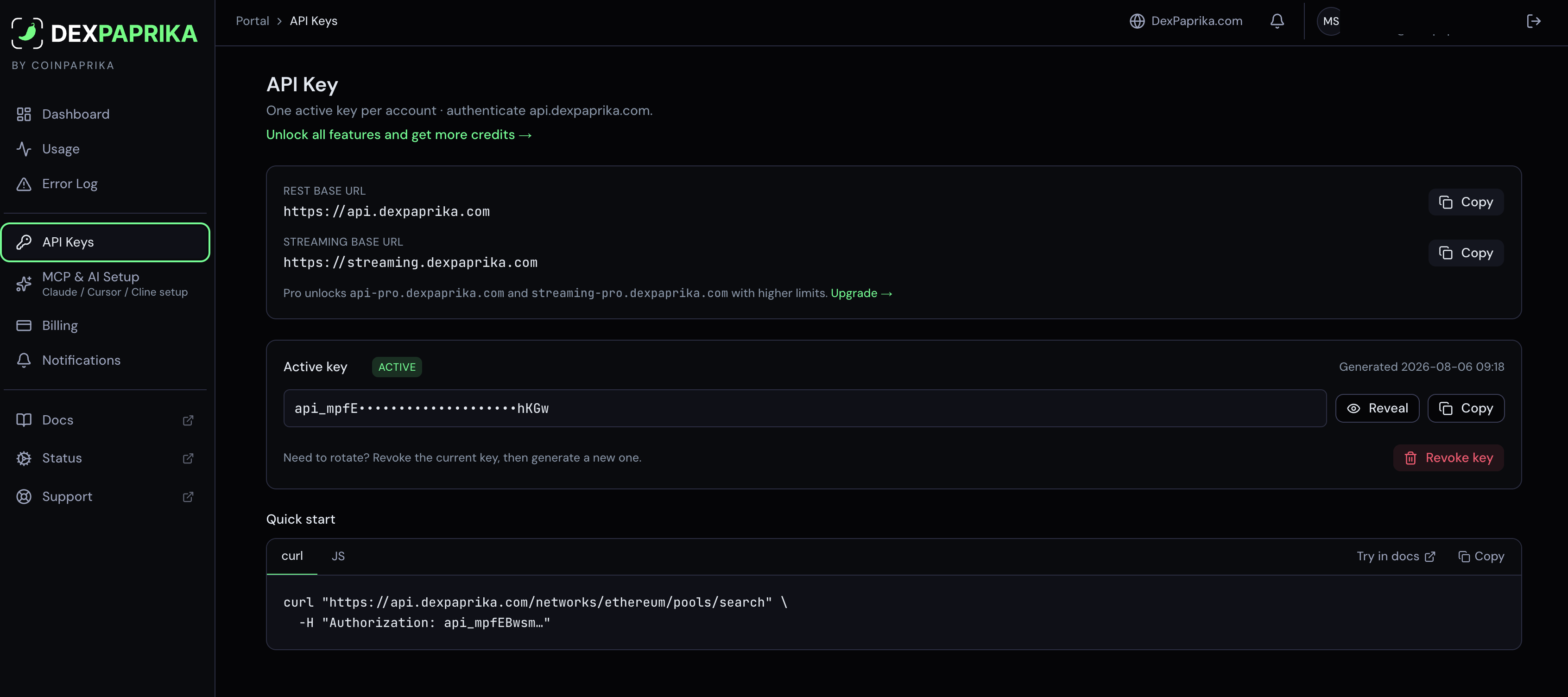
https://api.dexpaprika.com and https://streaming.dexpaprika.com. Pro moves you to https://api-pro.dexpaprika.com and https://streaming-pro.dexpaprika.com.That pairing matters: a free key sent to a Pro host answers 403 wrong_host, and the body tells you which host to use.If you have just moved to Pro, read upgrading to Pro before your first call, and 403 Forbidden (wrong host) if you already have the error in front of you.How do I rotate my key?
How do I rotate my key?
Revoke the current one, then generate a new one. Both buttons are on the API Keys screen.Because there is one active key per account, rotation is a break: the old key stops working the moment you revoke it. Have the new key ready to deploy before you press it, and if the key lives in a hosted environment, remember it is usually stored as a secret rather than in the code.
How do I authenticate a request?
How do I authenticate a request?
Put the key in the The key is the entire
Authorization header, on its own:Authorization header value, with nothing in front of it and nothing after it. This is easy to trip over, since almost every other API expects a scheme word first. If your HTTP client only offers a token field that prepends one for you, set a raw header instead.Where are my invoices?
Where are my invoices?
Billing, at the bottom of the page, with an export control for pulling them out. Until your first payment the section says so rather than sitting empty, so an empty list is not a sign that something failed.The same screen carries the rest of the money: your current plan with the period it runs for and the autoscaling switch.The dashboard shows the next billing cycle at a glance. If it reads no active subscription, you are on a free tier and there is nothing to invoice.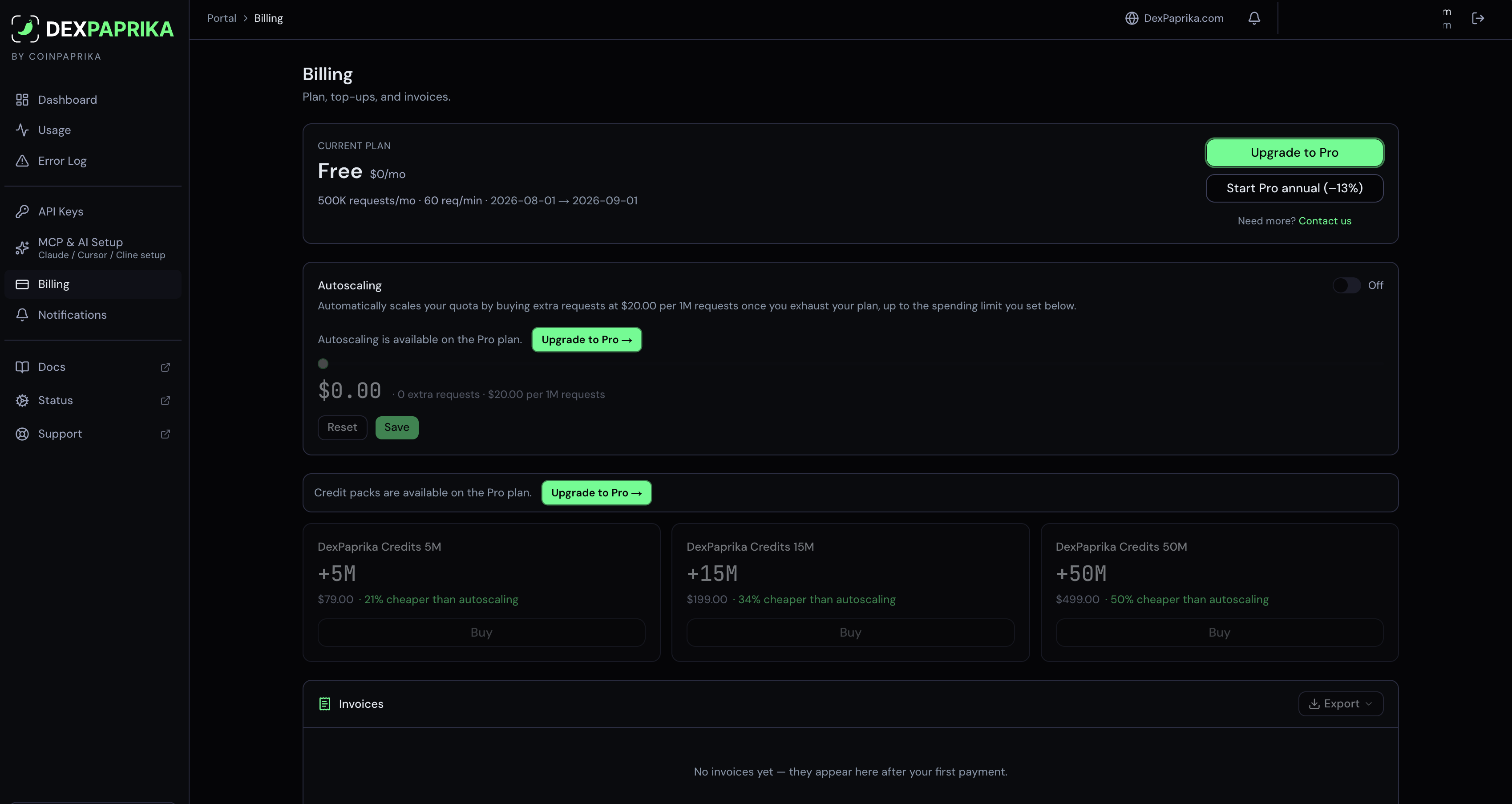
What is autoscaling?
What is autoscaling?
It is how you keep going past the monthly allowance on Dev and Pro. Leave the switch off and the allowance is a hard stop, exactly like a free tier. Turn it on and once the plan is spent, extra credits are bought automatically at $20 per million, up to a spending limit you set on the same screen. You decide the ceiling once and then stop thinking about it.If your account already holds a credit pack, those credits sit alongside the plan allowance and drain with it, and Billing shows what is left. New packs are not on the pricing page; autoscaling is how you add credits now.Autoscaling is a paid-plan control. On a free tier it is visible but inactive.
How do I know how much I have spent?
How do I know how much I have spent?
The dashboard card Usage this period is the short answer: credits used against your monthly cap, with the percentage. Usage breaks it down over time and by endpoint, so you can see which call is doing the spending.One request costs one credit. Batch endpoints charge one credit per item, and each delivered streaming update costs one credit too. See plan your credit usage for how to size a workload before you build it.
What happens when I run out of credits?
What happens when I run out of credits?
On a free tier the cap is hard: the API answers
402 and the body names the next step for your tier. Nothing is charged, and the allowance refills continuously as usage older than 30 days ages out, so there is no date to wait for and the body carries no resets_at.On Pro you can let it keep going. The dashboard calls this autoscaling: with it off the cap behaves like the free tier, with it on the overage is charged per additional block up to the monthly spend limit you set. See error handling for the difference between a 402 and a 429, which is worth getting right in code: a 429 is a per-minute rate limit and is worth retrying, a 402 is the monthly allowance and retrying will not help.How do I connect Claude, Cursor or Cline?
How do I connect Claude, Cursor or Cline?
MCP & AI Setup generates the configuration with your key already filled in, for Claude Code, Claude Desktop and any client that takes a JSON config.The hosted server speaks two transports. Streamable HTTP, which is what current clients use:and SSE, for older clients:Authentication is the same 
Authorization header as REST. Full setup per client is in the hosted MCP guide.Do I need an account to try the API?
Do I need an account to try the API?
No. Keyless requests work at 10,000 credits per rolling 30 days per IP, with no signup and no card. Registering a free key raises that to 100,000 and lifts the streaming restriction from the showcase list to any token we index.